
Press
For the record.
Facts, descriptions, screenshots, and artwork for writing about Dreadcast: Weather Radar & Forecasts, the radar-first weather app for iPhone, iPad, and Mac. Everything here is accurate as of version 1.1. The weather, as ever, is subject to change.
Fact sheet
- Name
- Dreadcast: Weather Radar & Forecasts on first mention, then Dreadcast. The wordmark is set in capitals.
- App Store
- Dreadcast: Radar and Weather, one listing for iPhone, iPad, and Mac. The store’s name field allows 30 characters, so the listing uses this shorter name.
- Developer
- Kevin Fleming, Naples, Florida
- Platforms
- iPhone, iPad, and Mac
- Requirements
- iOS 17 or later, iPadOS 17 or later, macOS 14 or later
- Price
- Free. Dreadcast Pro is an optional auto-renewable subscription: $3.99 a month or $29.99 a year in the US. One subscription covers Dreadcast on iPhone, iPad, and Mac with the same Apple Account.
- Released
- November 6, 2026. Version 1.1 followed on November 7, 2026.
- Category
- Weather. Rated 4+. English.
- Privacy
- No app account, advertising, or cross-app tracking. To show the weather, the app sends a location rounded to about 1 km to Dreadcast’s own weather service. Details are in the Privacy Policy.
- Website
- dreadcast.app
- Companion
- Dreadcast CLI, a separate open-source weather app for the terminal. Its license and privacy documentation are its own.
- Press contact
- Kevin Fleming, kevin@dreadcast.app
Descriptions
About 50 words
Dreadcast is a radar-first weather app for iPhone, iPad, and Mac. Live radar and satellite imagery share one map with current conditions, forecasts, weather alerts, tropical storms, wildfires, and earthquakes, and illustrated themes change through the day. Free to download; Dreadcast Pro adds longer radar history, more layers, and more themes.
About 150 words
Dreadcast: Weather Radar & Forecasts is a radar-first weather app for iPhone, iPad, and Mac, made by Kevin Fleming in Naples, Florida. It blends the latest radar returns with high-definition satellite imagery, and layers current conditions, modeled forecasts, and reported events on the same map. Over a dozen layers cover radar, satellite, wind flow, temperature, tropical storms, wildfires, earthquakes, tsunamis, volcanic activity, weather alerts, and severe weather outlooks. Save the places you care about and compare their weather side by side, and choose the alerts you want, such as severe weather, tropical advisories, and nearby wildfires. Illustrated themes are living scenes whose artwork changes through the day. Credits and timestamps on screen explain what you’re seeing. Dreadcast is free on the App Store. Dreadcast Pro, an optional subscription, adds up to four hours of radar history, more layers and themes, every palette, and iCloud sync across devices.
Key features
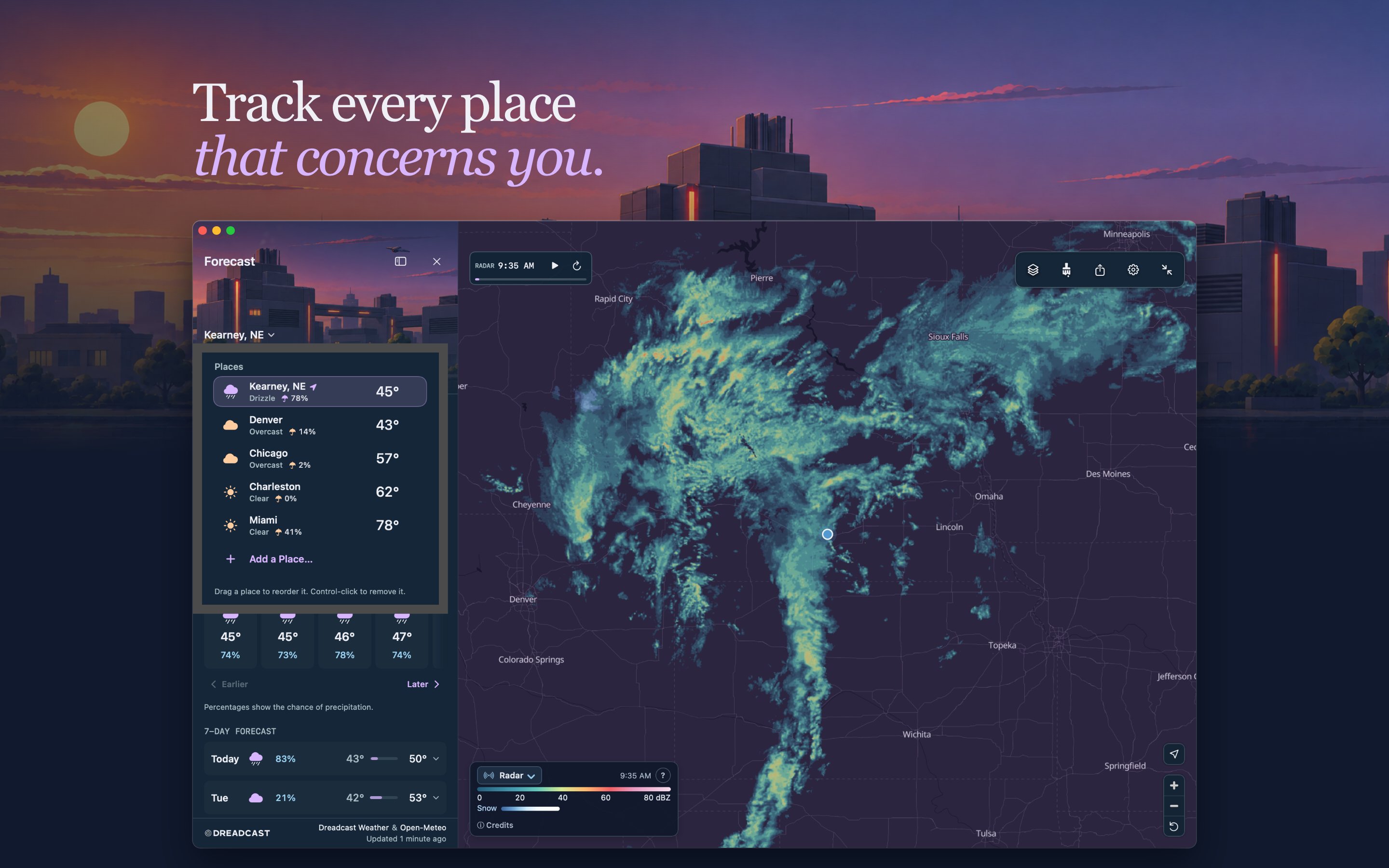
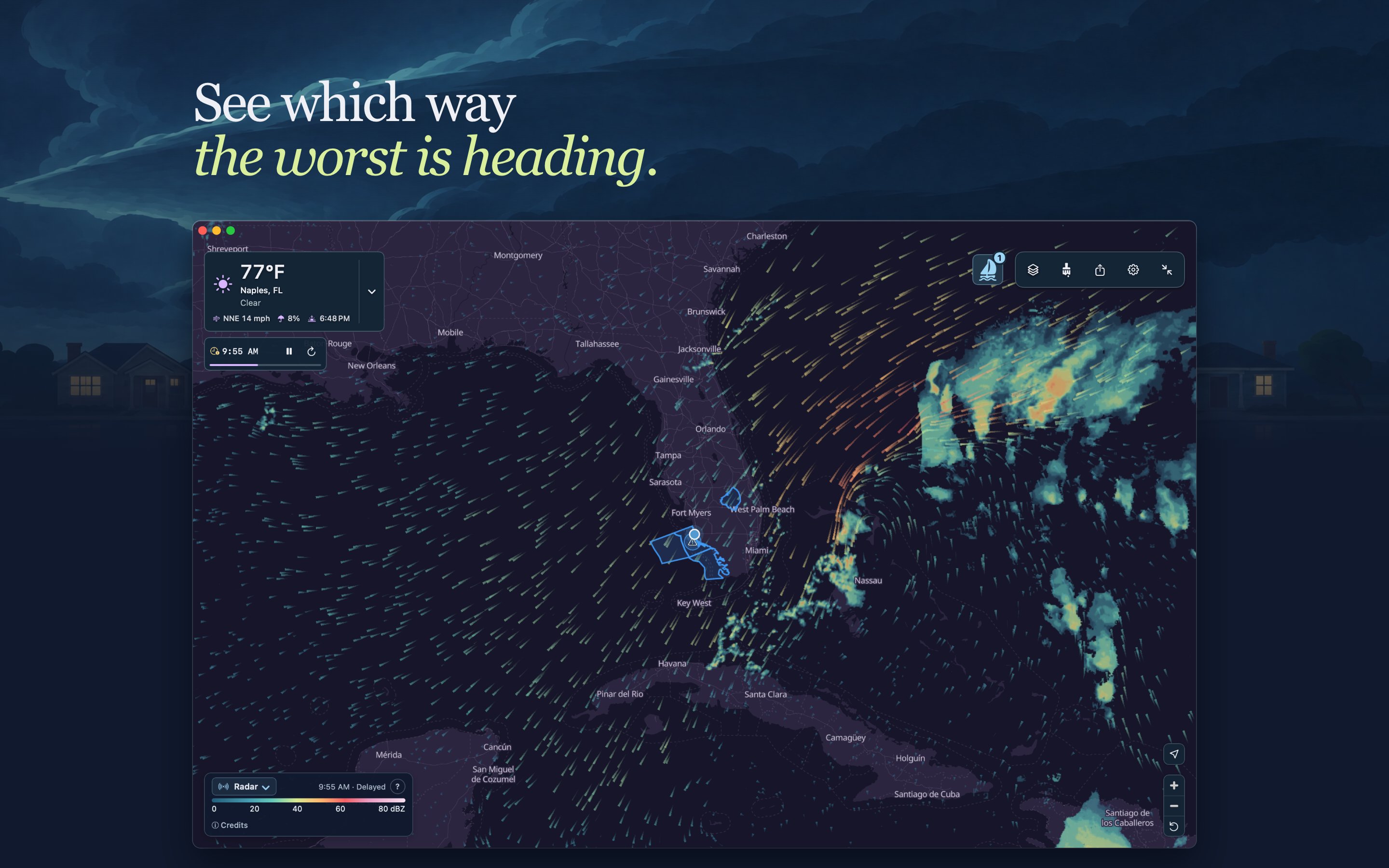
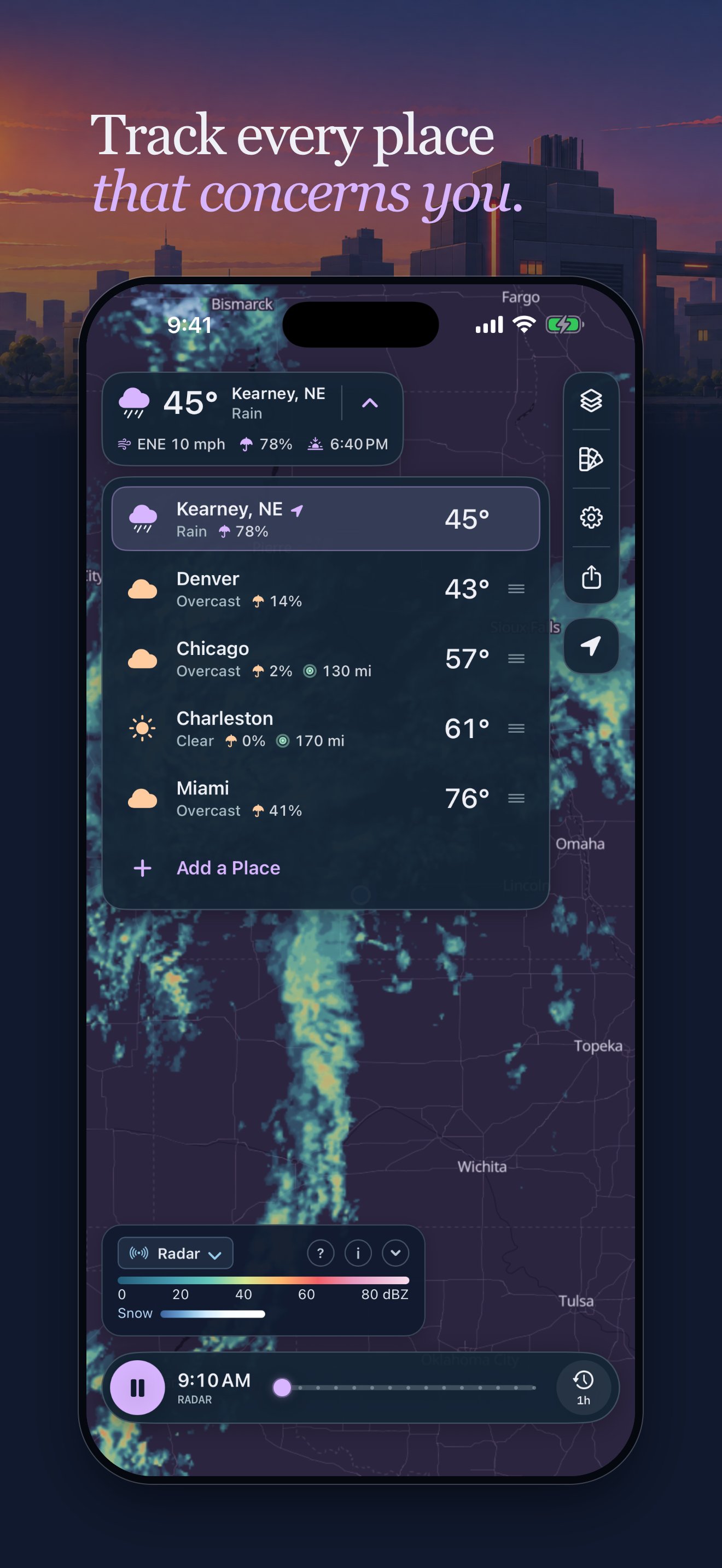
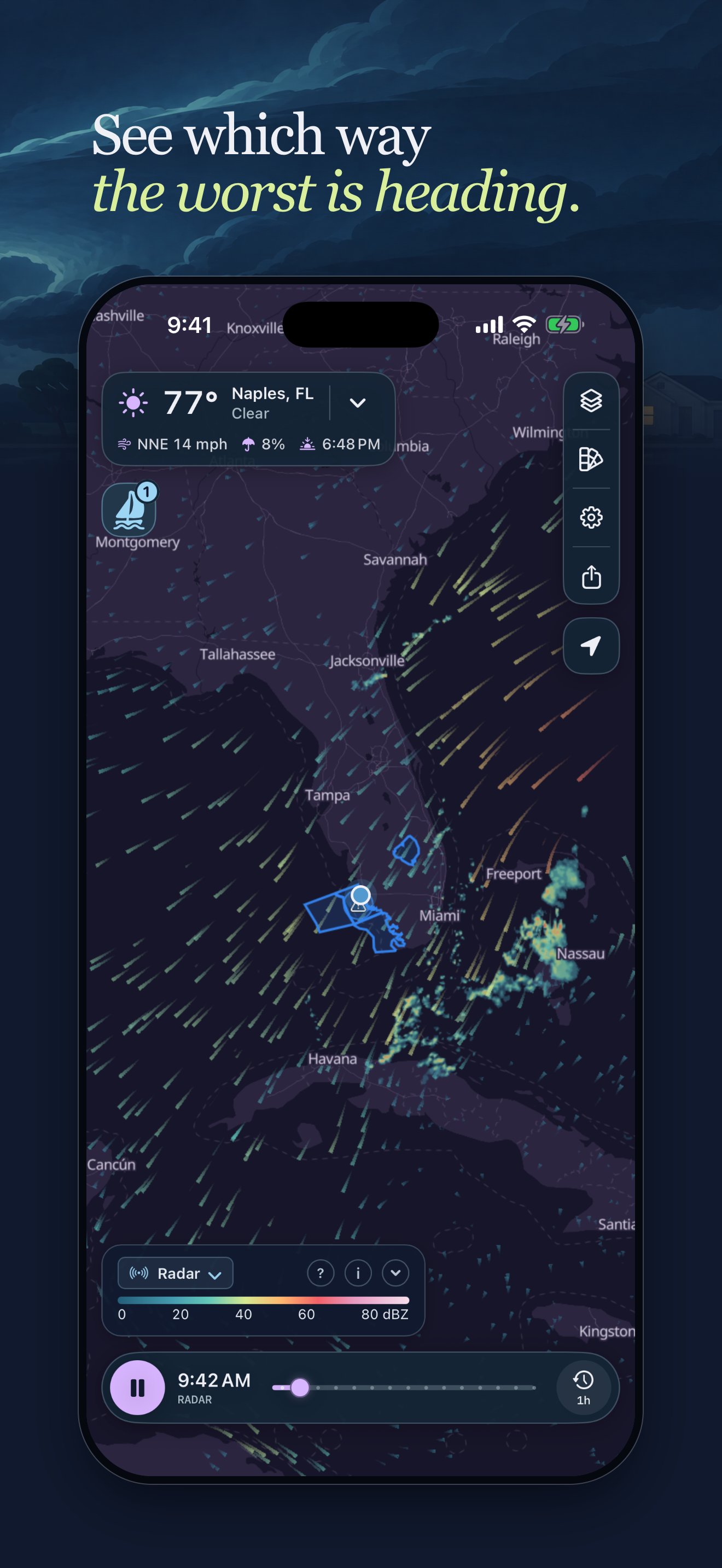
- Radar first. The latest radar returns and high-definition satellite imagery, with current data, modeled forecasts, and reported events layered on one map.
- Current weather and forecasts. Current conditions, forecasts, and live radar for every place you care about. Swipe between saved places to compare the weather side by side.
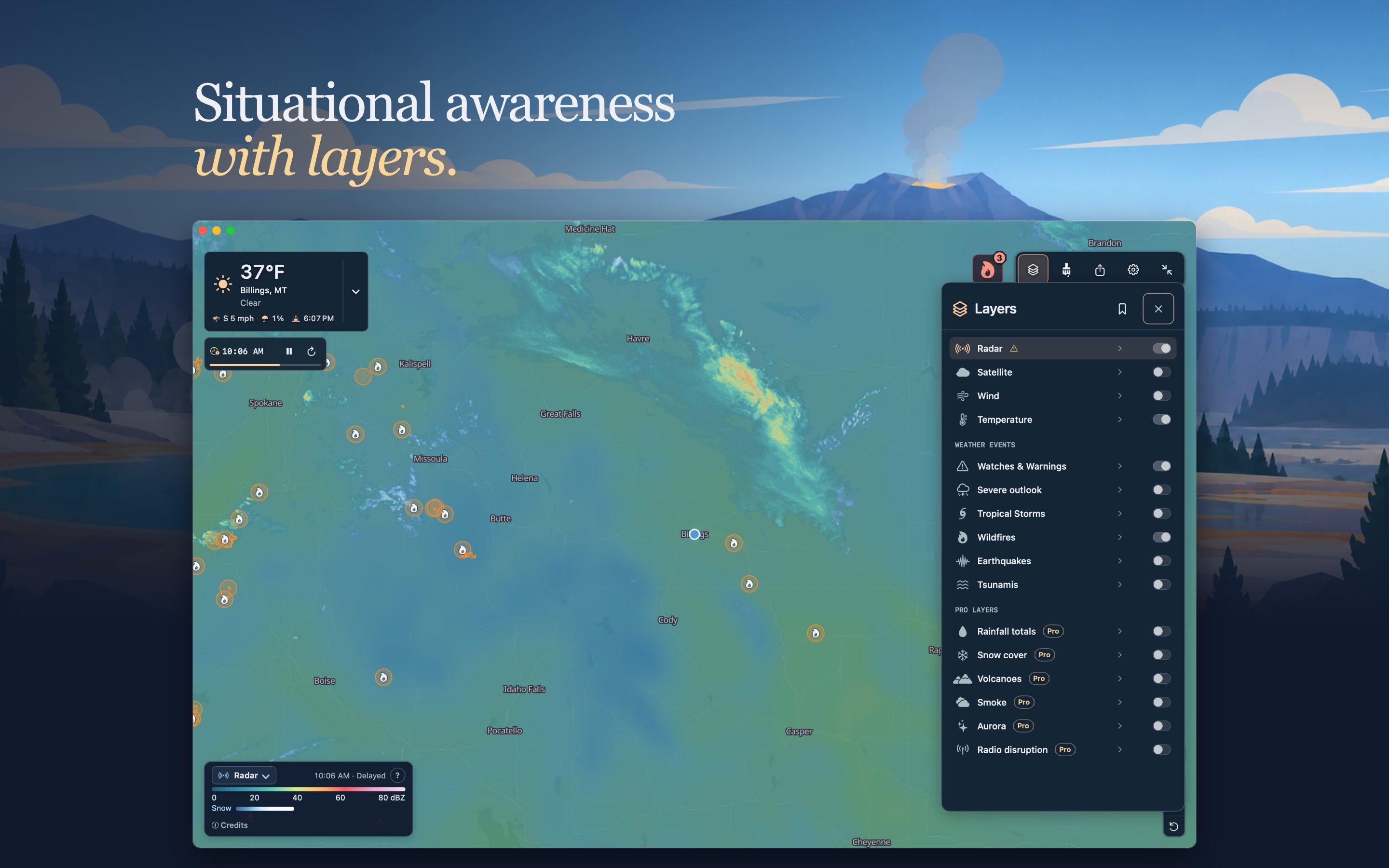
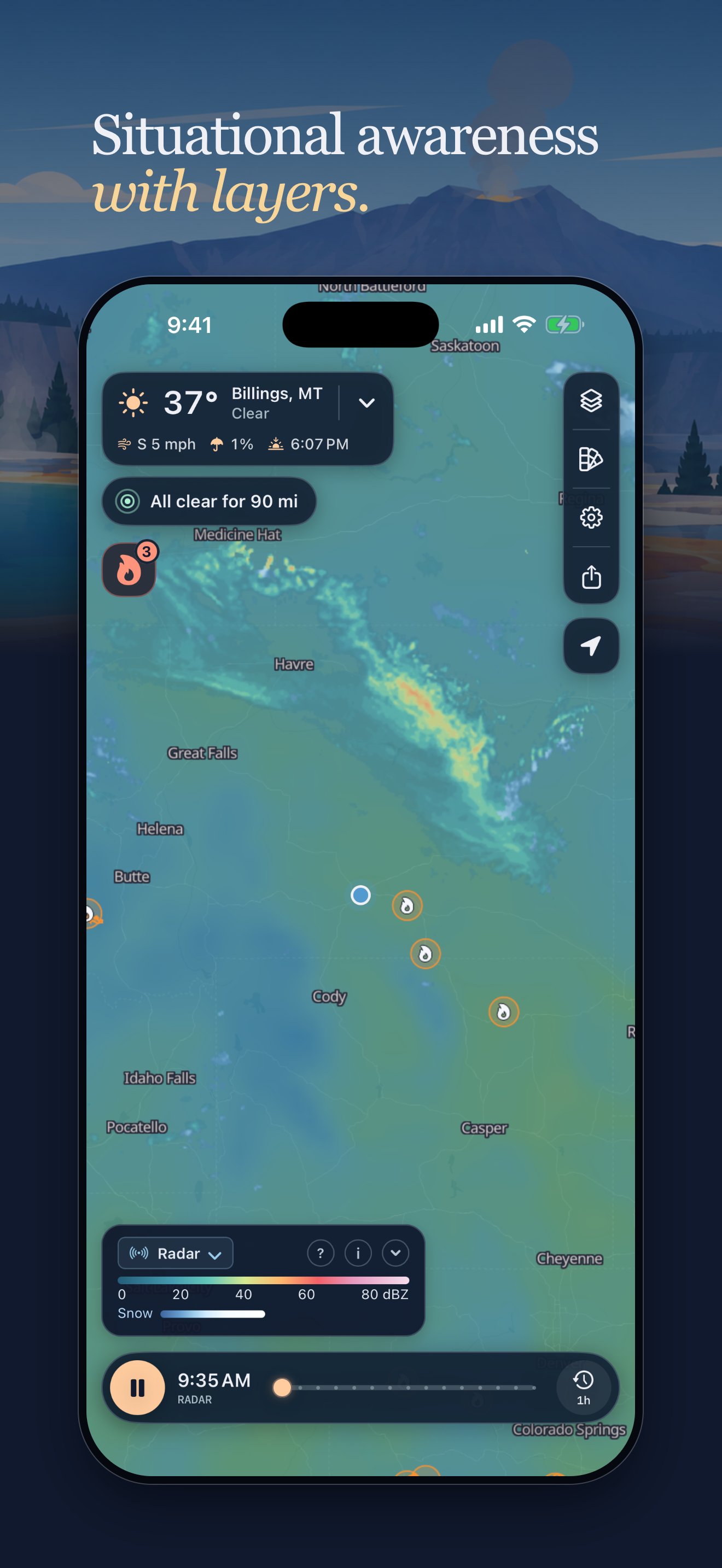
- Over a dozen layers. Radar, satellite images, wind flow, temperature maps, tropical storms, wildfires, earthquakes, tsunamis, volcanic activity, weather alerts, and severe weather outlooks. Save the layer views you use most.
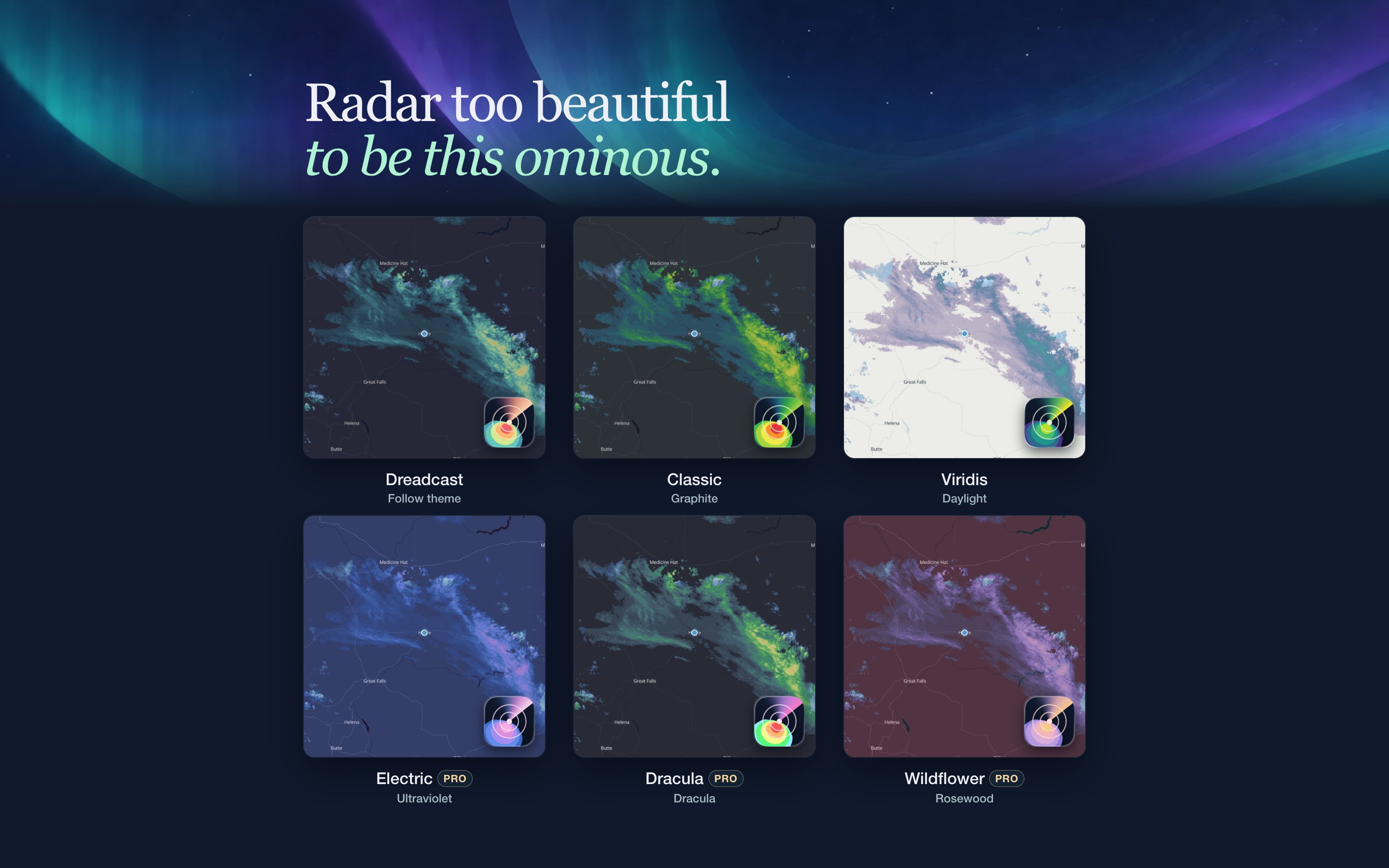
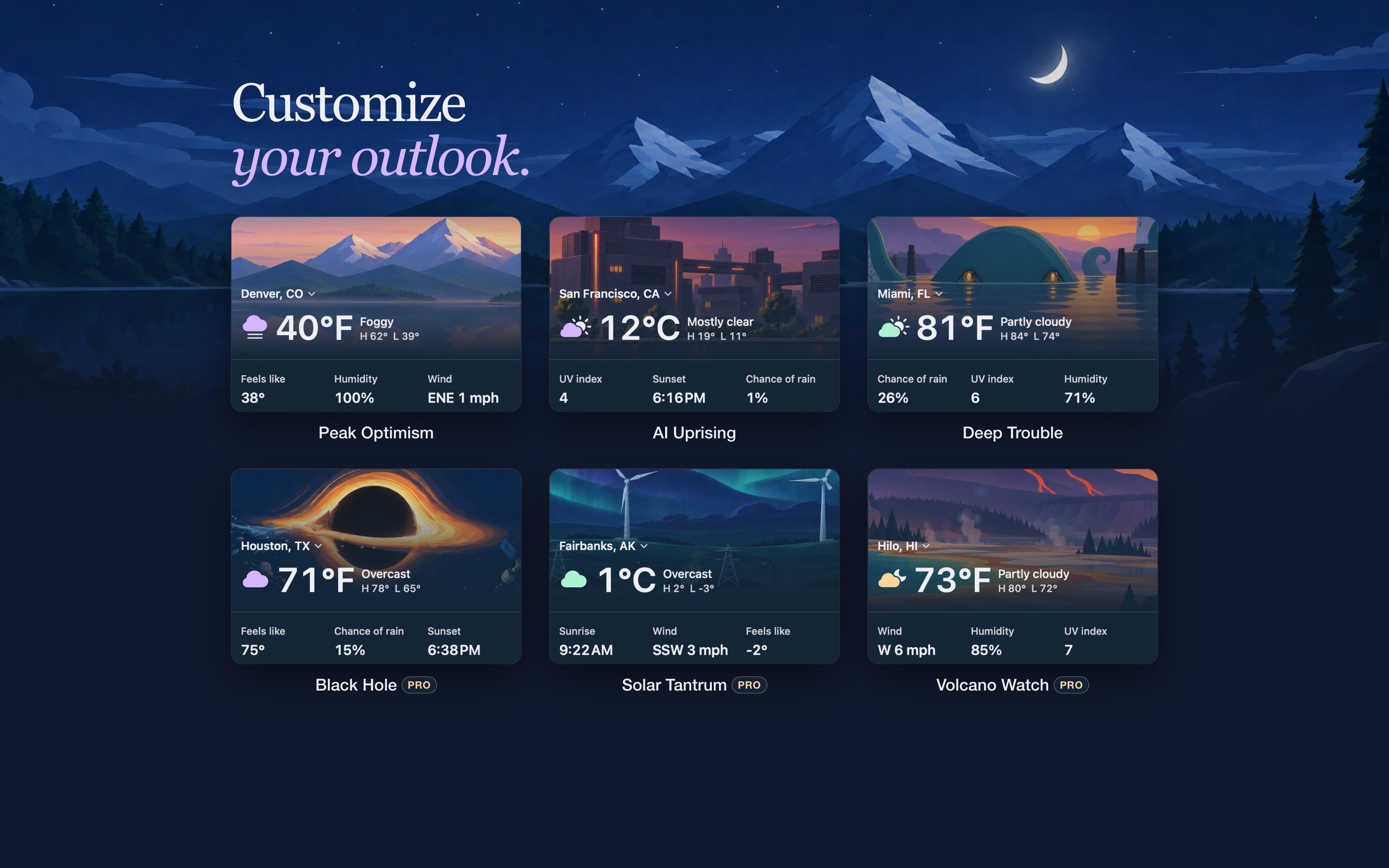
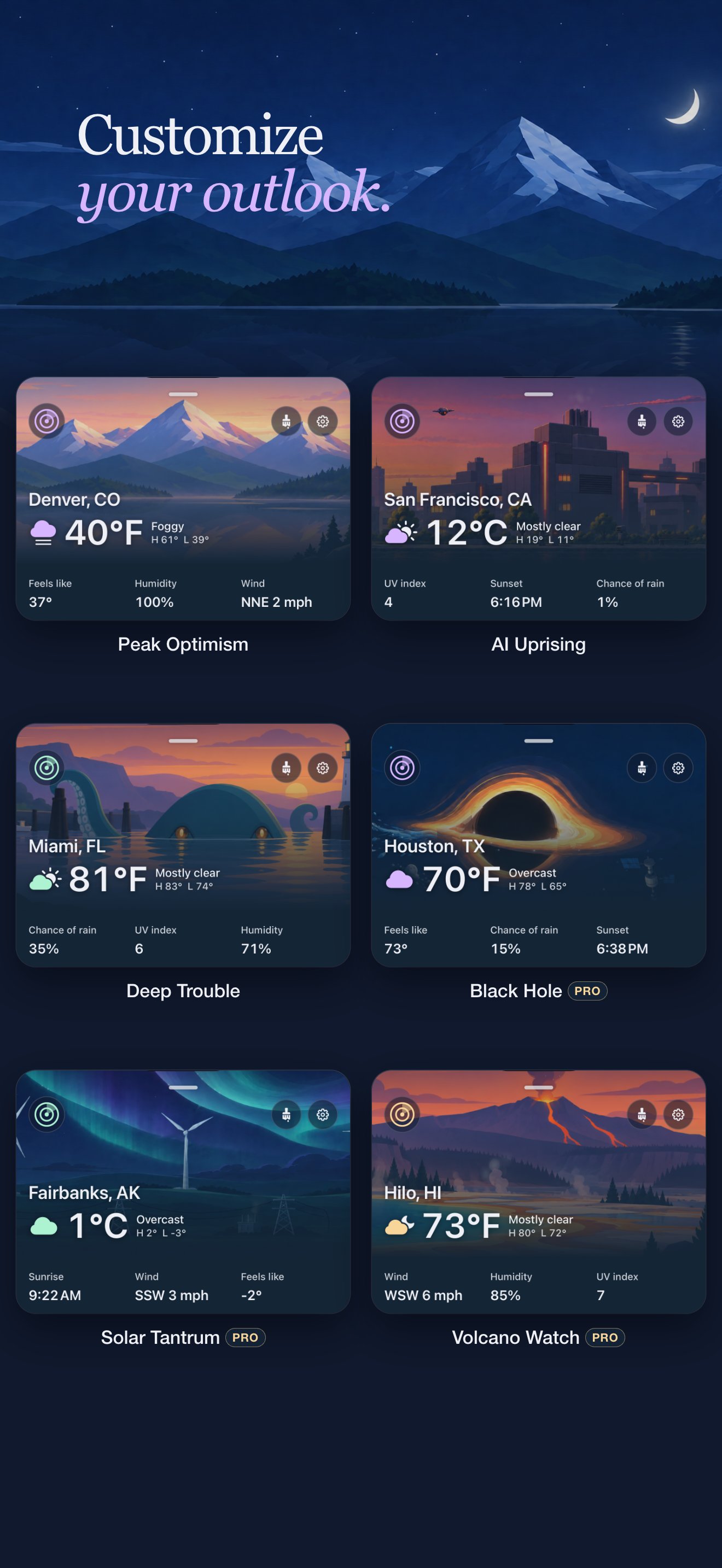
- Make it yours. Illustrated themes, separate map and radar colors, styled wind particles, and custom palettes. Each theme is a living scene whose artwork changes through the day.
- Alerts you choose. Severe weather, tropical advisories, nearby wildfires, and more, with a notification when they arrive.
- New in 1.1. Future radar shows where rain and storms are headed, with simulated radar. Widgets for the Home Screen and Lock Screen, and a lightning layer covering most of North America, come with Pro. Radar plays back at 1.5× or 2×, and the Solar Tantrum theme is now free.
- Dreadcast Pro. Up to four hours of radar history; more layers, such as rainfall totals, snow cover, volcano activity, wildfire smoke, and aurora forecasts; more illustrated themes, including Black Hole and Volcano Watch; every map and radar palette, custom radar colors, and a matching app icon for each palette; and iCloud sync for places and settings across Mac, iPhone, and iPad. Pro features are marked in the app.
Radar, satellite estimates, forecast tracks, modeled data, and reported events each have their own coverage and update times. Dreadcast is not an emergency service; during dangerous weather, follow official instructions.
Screenshots
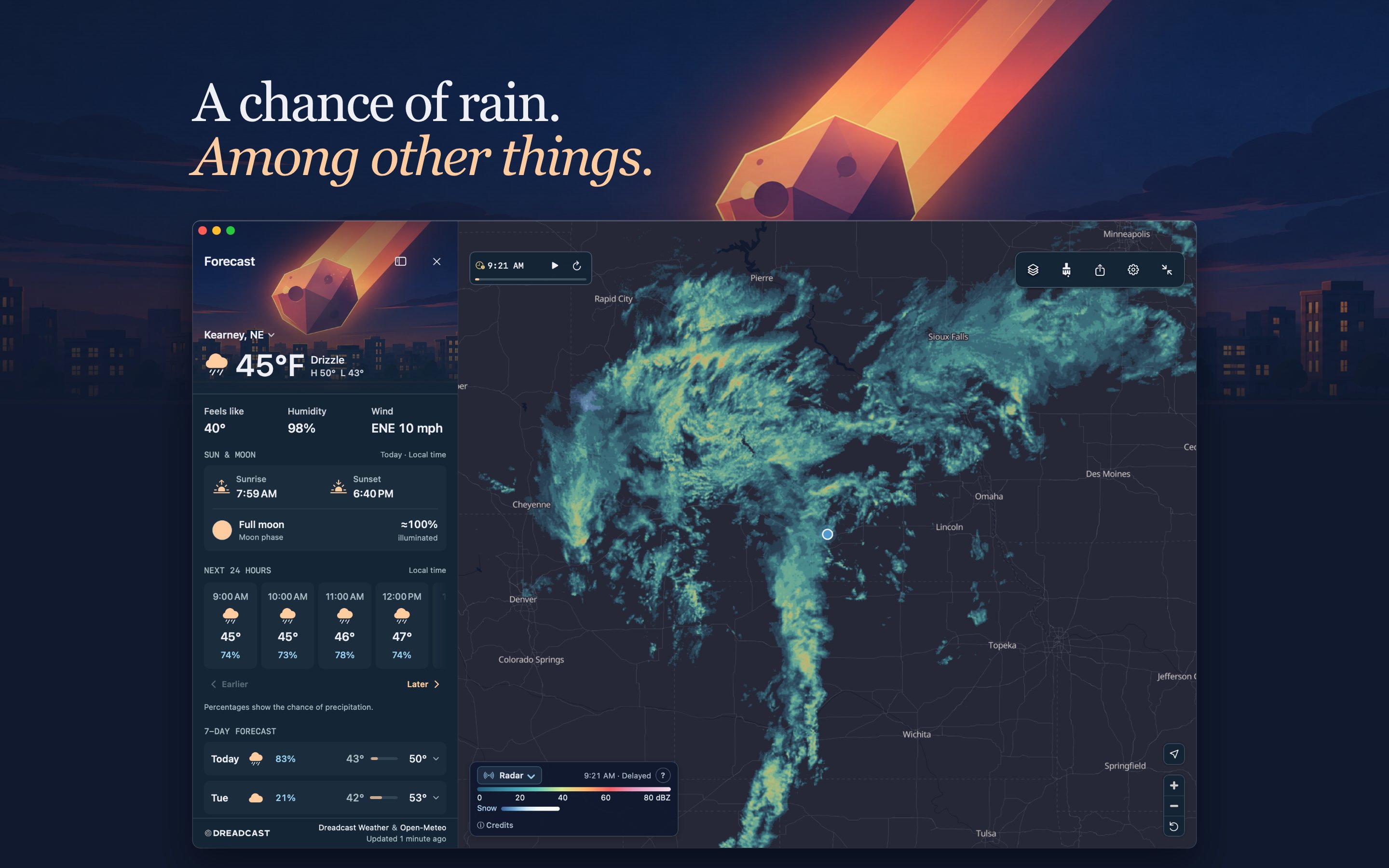
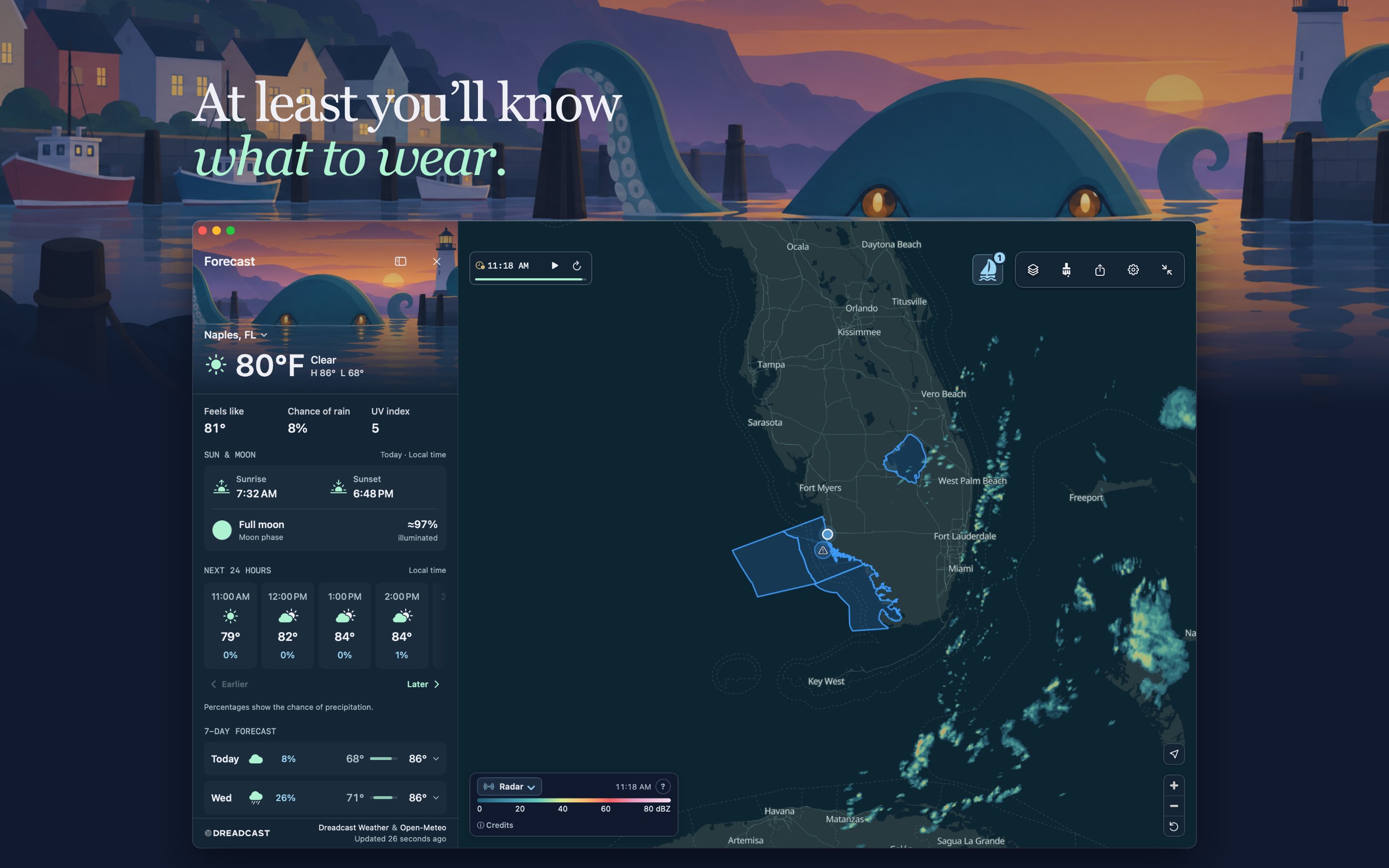
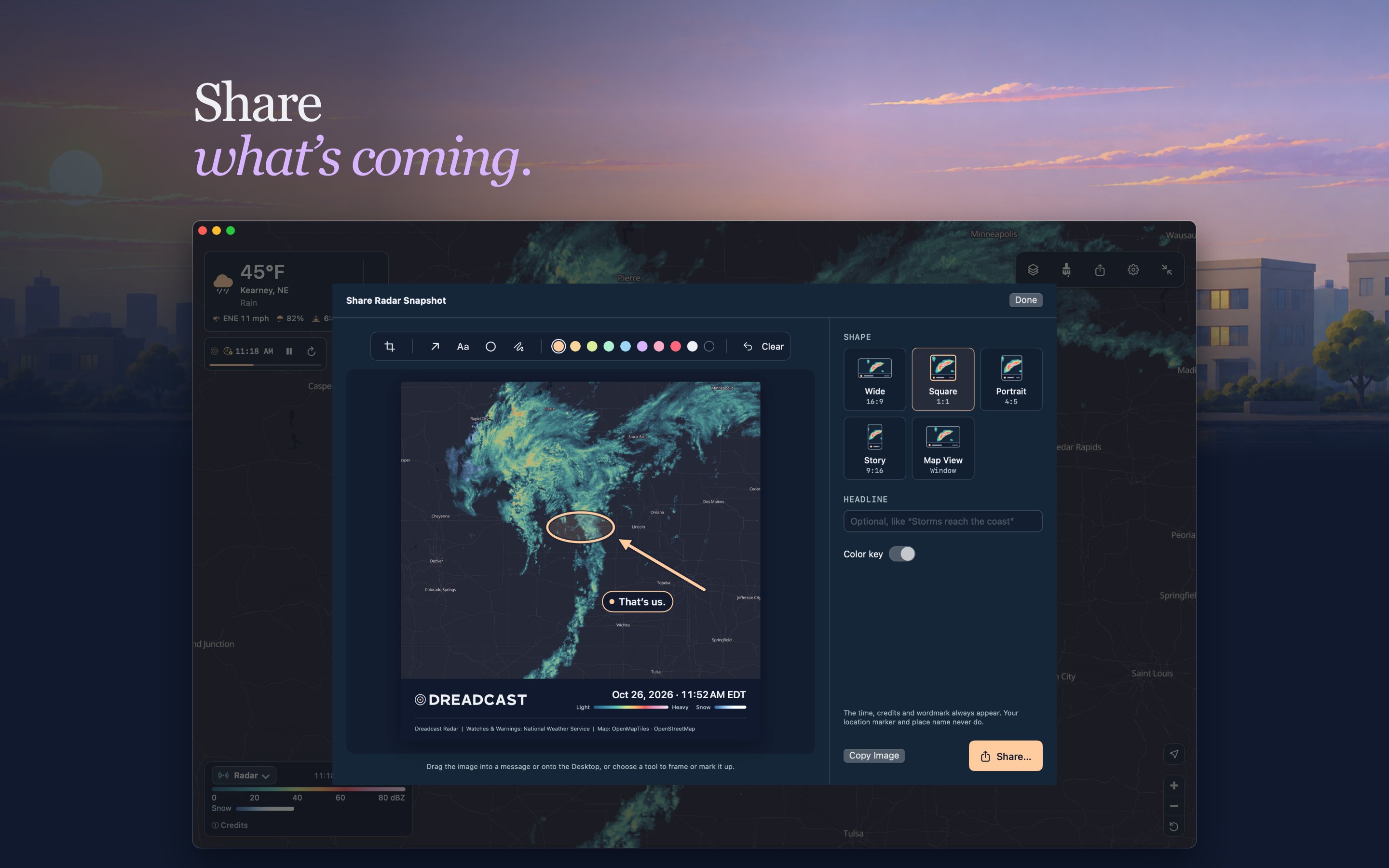
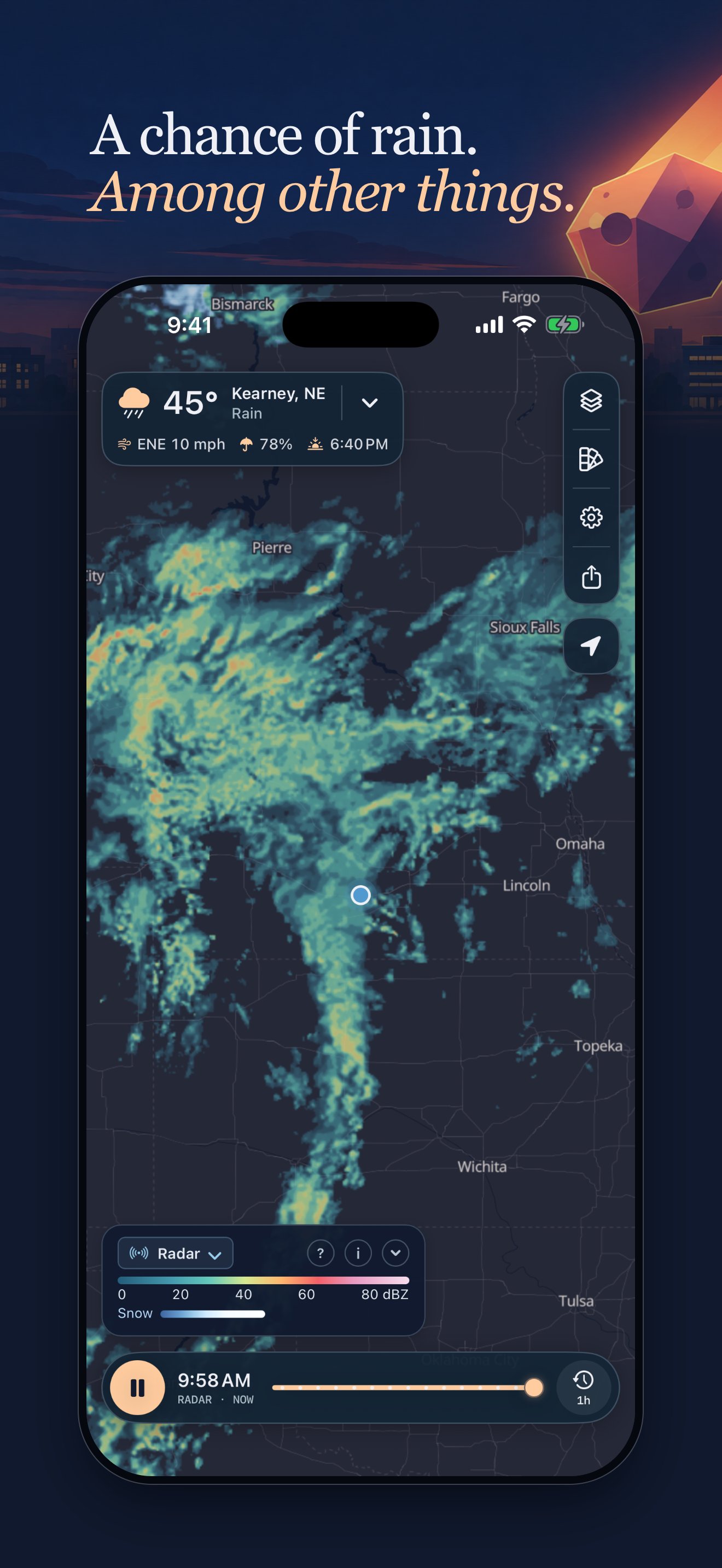
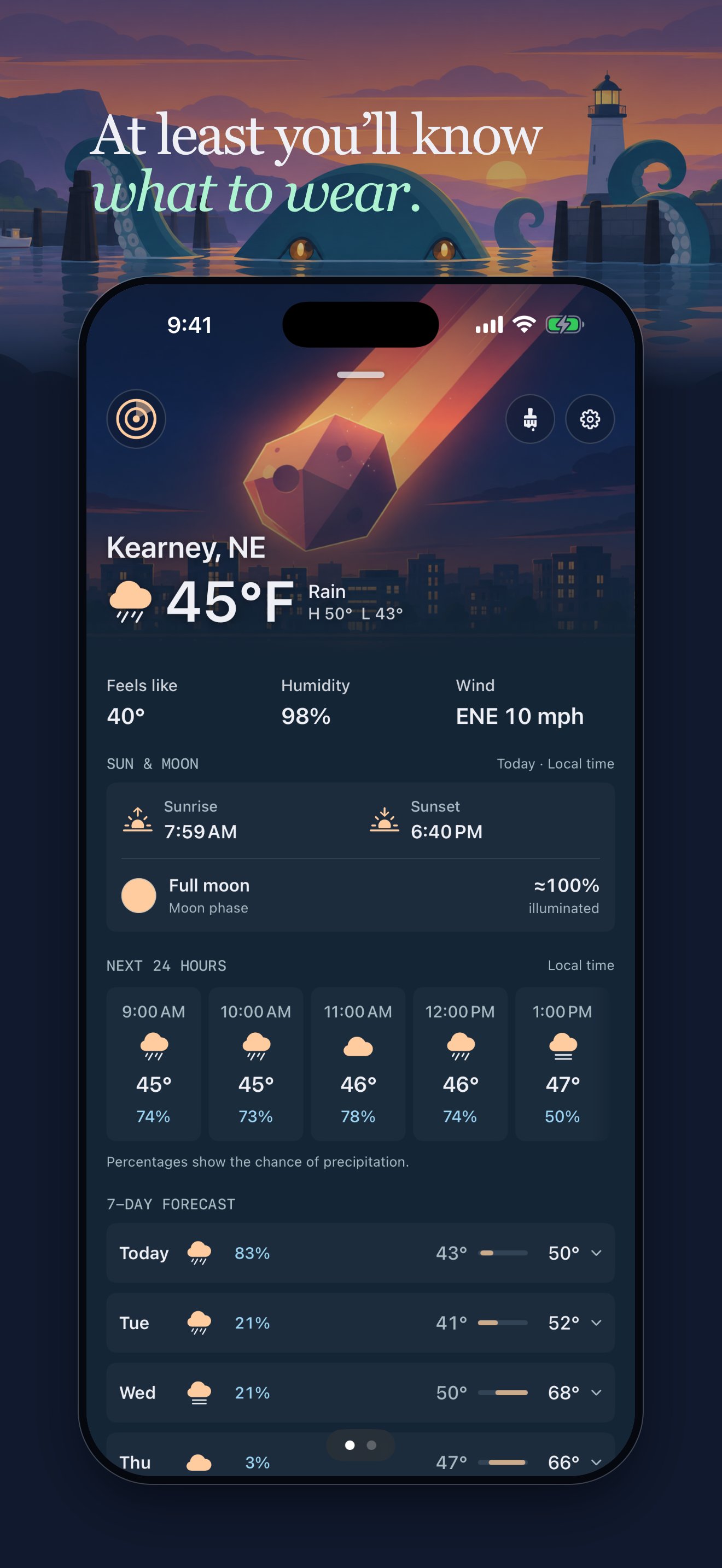
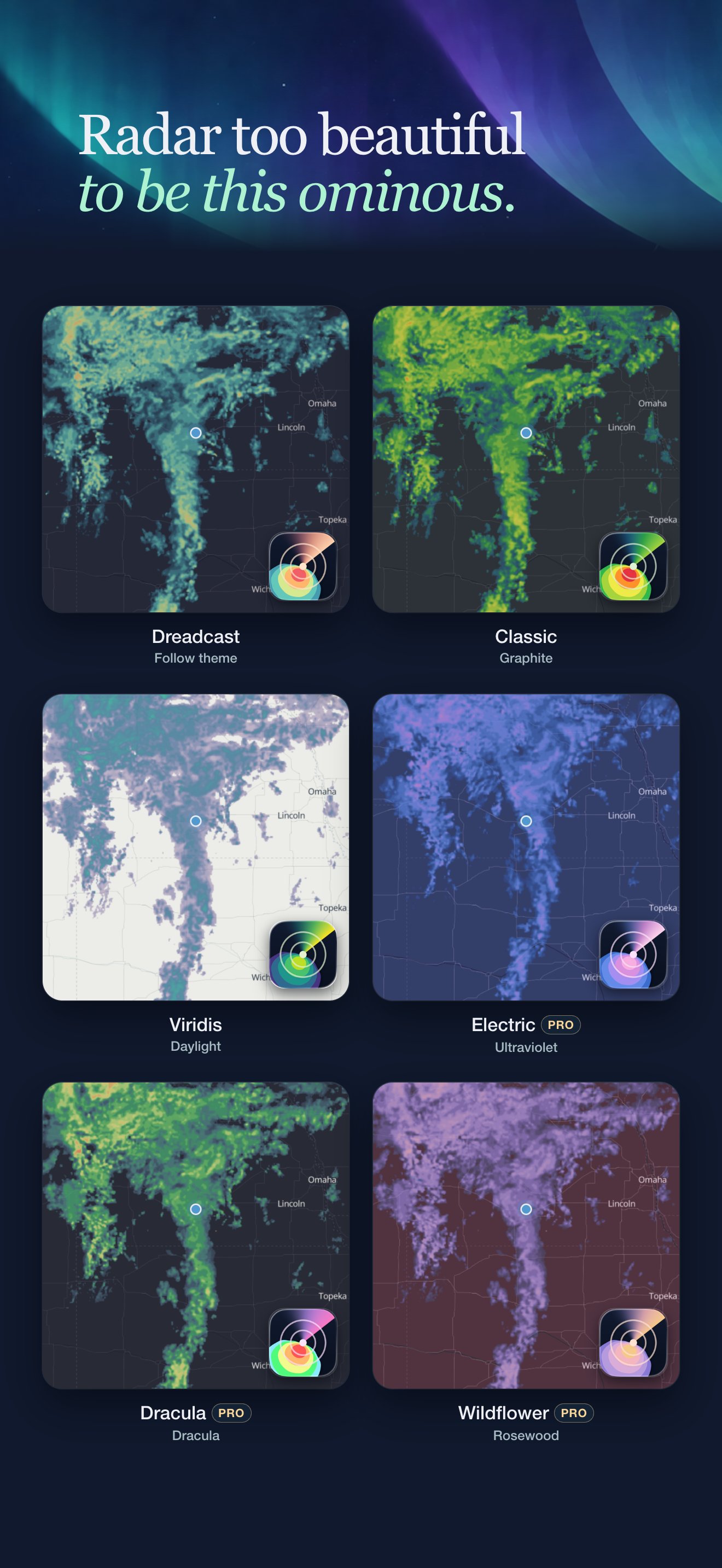
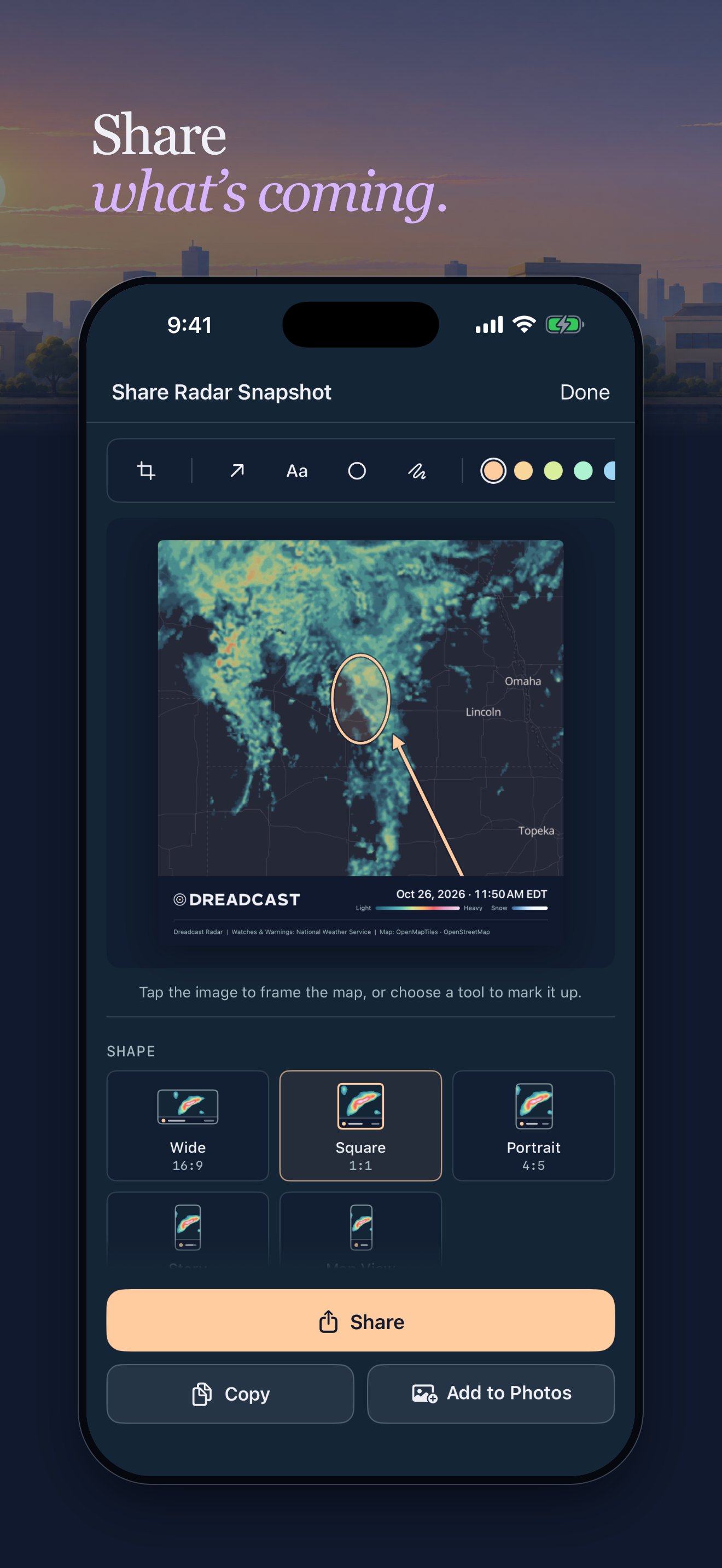
The App Store screenshots, in the listing’s order. Click one for the full-size JPEG. The iPad set is on the App Store listing; email for full-size copies.
Mac 2880 × 1800
iPhone 1320 × 2868
Icon and wordmark
Please use them as they are, without changing their shape, proportions, or colors.




Data credits
Dreadcast brings together public weather, radar, and hazard data. None of these organizations endorses Dreadcast. The full list, with licenses and coverage, is on Data & Sources.
- Radar: NOAA Multi-Radar/Multi-Sensor System (MRMS) for the contiguous United States, Alaska, Hawaii, Puerto Rico and the Caribbean, and Guam; EUMETNET OPERA for most of Europe (CC BY 4.0). Dreadcast converts the scans into map tiles every 2 minutes.
- Conditions and forecasts: Weather data by Open-Meteo.com (CC BY 4.0).
- Alerts and hazards: NOAA’s National Weather Service, Storm Prediction Center, National Hurricane Center, Space Weather Prediction Center, and tsunami warning centers; the USGS; and the National Interagency Fire Center.
- Satellite: GOES imagery from NASA GIBS, with EUMETSAT data where GOES has no coverage.
- Maps: OpenFreeMap, © OpenMapTiles, © OpenStreetMap contributors.
The extreme weather pages keep a radar picture of each notable event, saved from the live map while it happened. An ended event’s page offers its picture free to use with the credit “Radar: Dreadcast”.
Founder’s note
I live in Naples, Florida, where checking the radar is part of the week. Most weather apps treat radar as a tab you go looking for. I wanted the opposite: the radar as the app, with the forecast and the world’s hazards on the same map, on every screen I use.
I built Dreadcast with AI, as a documented case study for my AI focus group: the app, the weather service behind it, and the open-source CLI, with the decisions, the wrong turns, and the real costs written down along the way. I’m happy to talk about how that went.
Two rules held throughout. Readings show where they came from and how old they are, and missing radar is never drawn as clear skies. The humor stays in the artwork; the data stays plain.
Kevin Fleming
Contact
For interviews or more images, email Kevin Fleming at kevin@dreadcast.app. For help with the app, see Support.